Open source · MIT · Built on the Claude Agent SDK
Your personal agent command desk.
Clawddesk is a local-only dashboard for AI agents, built directly on Anthropic’s Claude Agent SDK. Study it, fork it, run it on your own machine. No accounts, no cloud, no telemetry.
Why it exists
How thin is the layer when Claude is the target model?
Someone demonstrated a command-center agent dashboard and mentioned it took six or seven weeks. The interesting question was how much of that is the engine work the Claude Agent SDK now hands you for free, and how much is the product work that still stands on its own.
The answer: when Claude is the target model, the SDK collapses the engine layer to a function call. Clawddesk is a concrete, readable example of how thin that layer can be, and a sandbox for what the SDK makes easy that used to be hard.
It is an educational reference, not a product. There is no hosted version and none is planned. You bring your own Anthropic credentials and run the whole thing on your own machine.
The architecture
One server. The SDK is the engine.
A message travels from a plain browser, through a single Node server, into one query() call, and back. Follow the path.
loading architecture…
- Browser, plain JavaScript with no build step: it sends your message to the local server and streams the reply back token by token.
- Express server on port 3333: a single Node and Express server holds every API route, the in-memory session state, and a small SQLite database, then hands your request to the SDK.
- The Claude Agent SDK: one query() call stands in for the whole agent loop, including tool use, sub-agents, plan mode, sessions, and hooks.
- The spawned claude CLI: the SDK spawns the same claude binary that Claude Code runs, and that subprocess drives the agent loop.
- Your local credentials: read from your own machine, your Anthropic API key or your local Claude Code session for personal use. Nothing leaves your computer.
The feature tour
Most features are one or two options on the SDK.
That is the teaching point: reading the source is reading the SDK’s surface area. The rest is thin host-side code wrapped around it. Here is what it ships with.
Multi-agent sidebar
Built-in specialists plus unlimited custom agents you spawn yourself, each with its own prompt, tools, and model.
systemPrompt · allowedTools
Sub-agent delegation
Promote an agent to a router and it delegates to the right specialist on its own. The model makes the call, not your code.
agents + Agent tool
Token-by-token streaming
Replies stream in as they are generated, with the tool-use trace visible as the agent works.
includePartialMessages
Durable task queue
Queue work that survives a restart. SQLite-backed with atomic checkout and lease-based crash recovery.
SQLite + atomic checkout
Cron scheduler
Wake an agent on a schedule and send the result where you want it: in-app, a file, or Telegram. Keeps a run history.
tick loop fires query()
Approval gates
Pause dangerous tools for a human yes or no before they run. Nothing risky happens behind your back.
PreToolUse hook
Budget caps
A preflight cost and rate check before every call, so an agent cannot run away with your tokens.
check() before query()
Browser automation
Give an agent a real browser behind an allow-list and a private-IP gate. Playwright under the hood.
Playwright + PreToolUse
Agent personality
Shape each agent’s voice with the Soul Builder, layered over locked privacy and boundary guardrails.
per-agent system prompt
Skills Studio
Build, install, and scan Skills per agent. Emergent skills distill a useful turn into a reusable draft, all local.
settingSources · skills
Telegram bridge
Drive the same agents from your phone. A long-poll listener routes your messages, gated by an allow-list.
long-poll listener
Voice in and out
Talk to your agents and hear them back, with speech handled locally through WhisprDesk.
local WhisprDesk gateway
See it in action
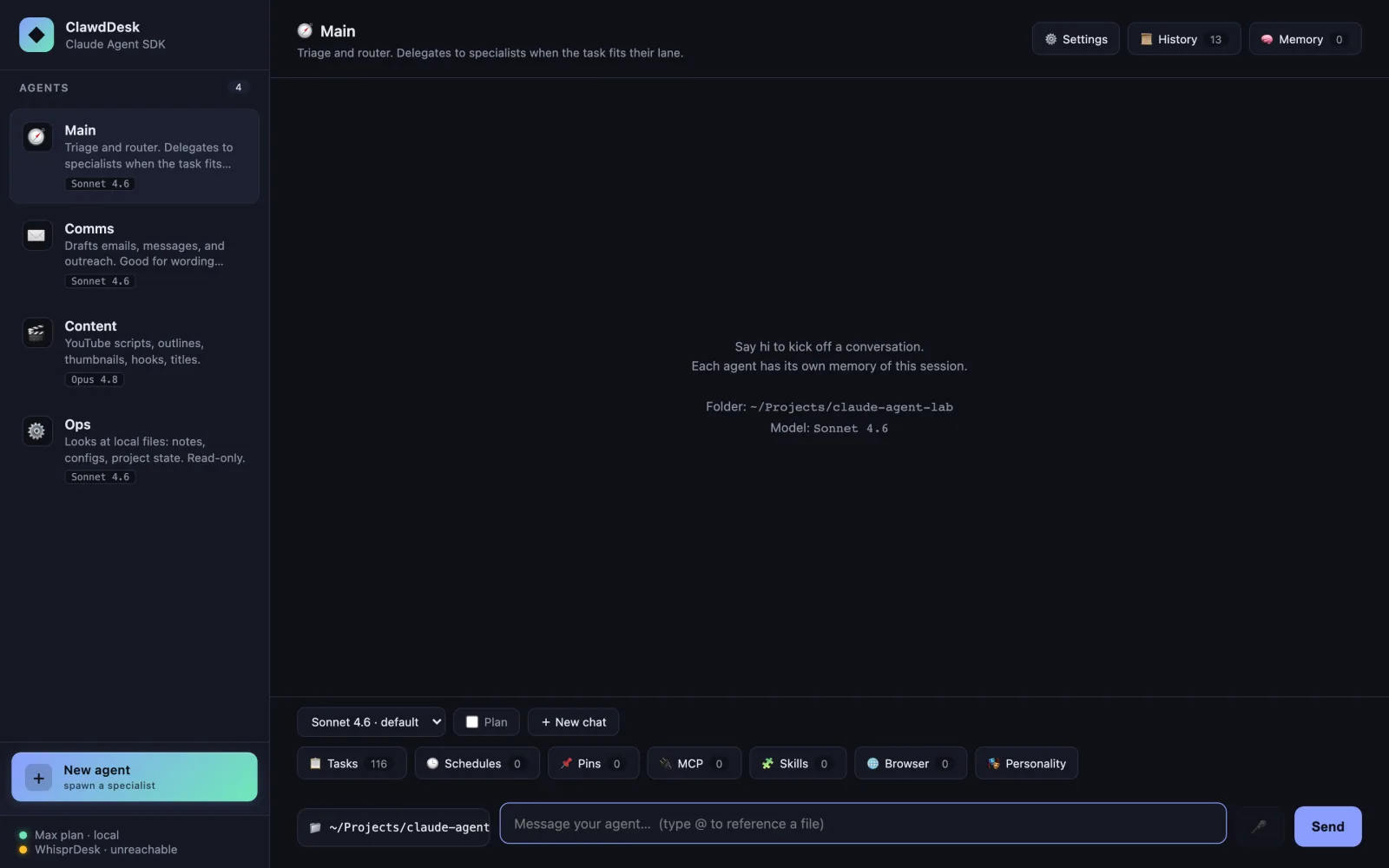
A real dashboard, running on your machine.
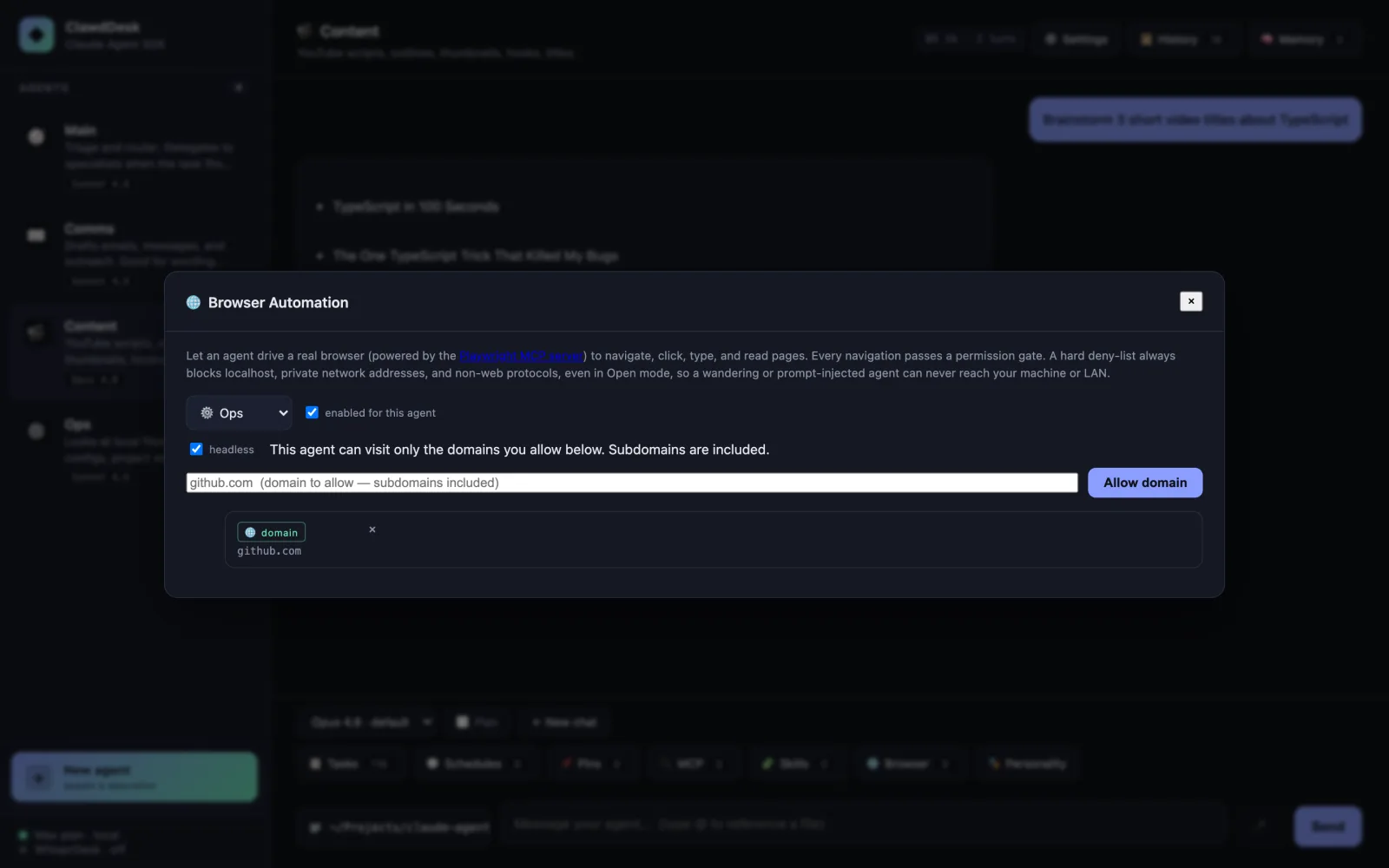
Browser automation
Give an agent a real browser, behind a per-domain allow-list.
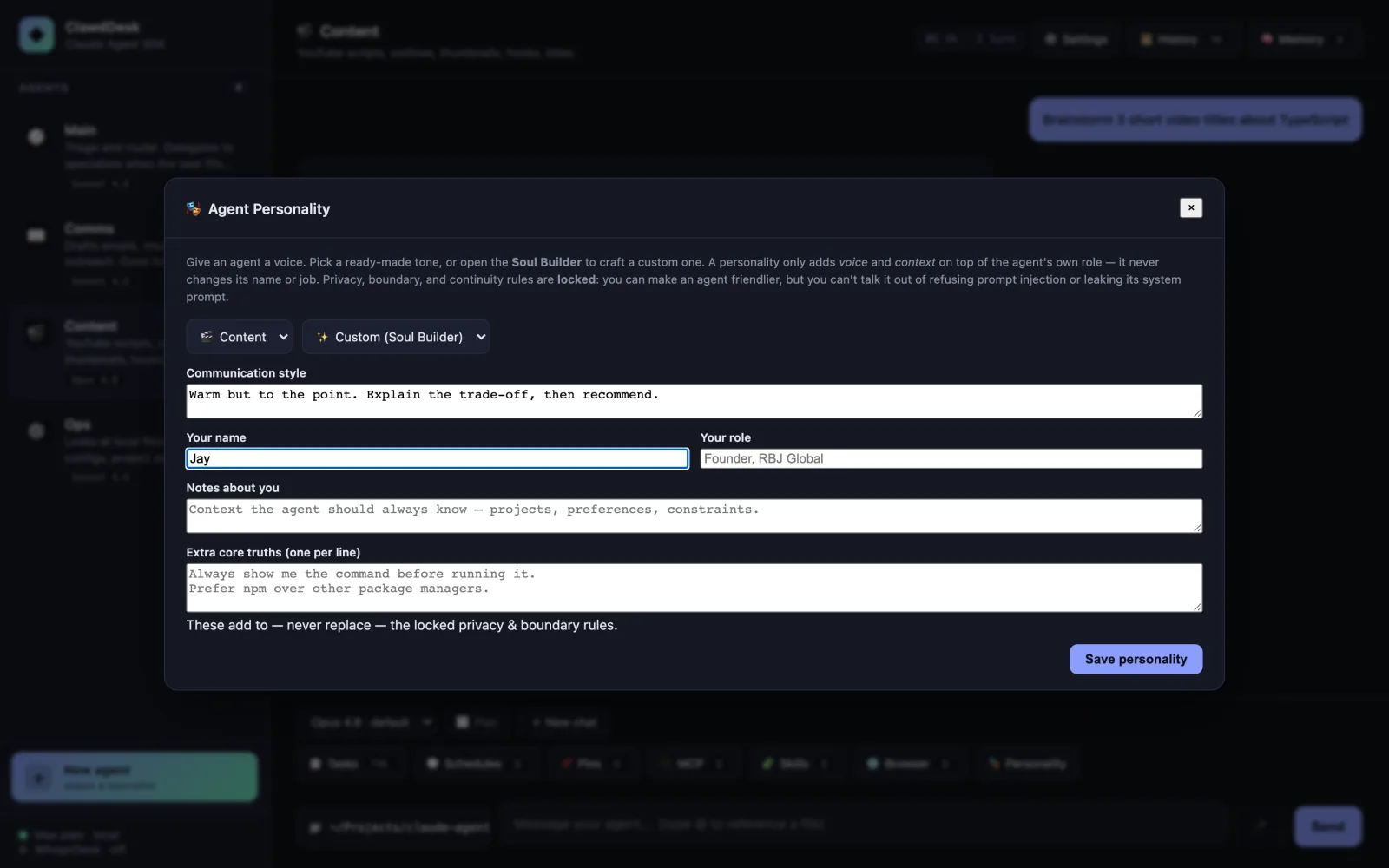
The Soul Builder
Shape each agent’s voice, over locked privacy and boundary guardrails.
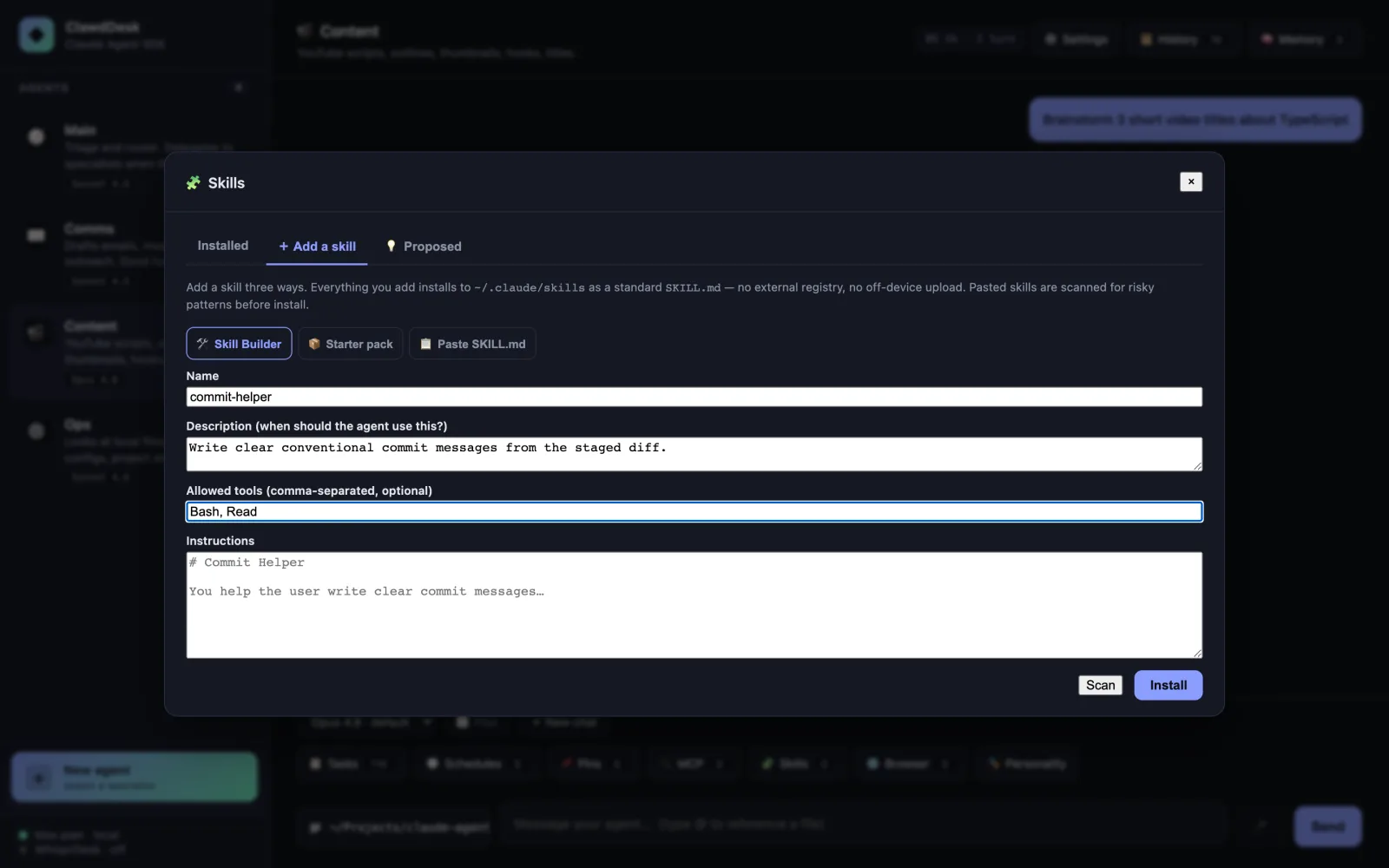
Skills Studio
Build, install, and scan Skills per agent, all on your machine.
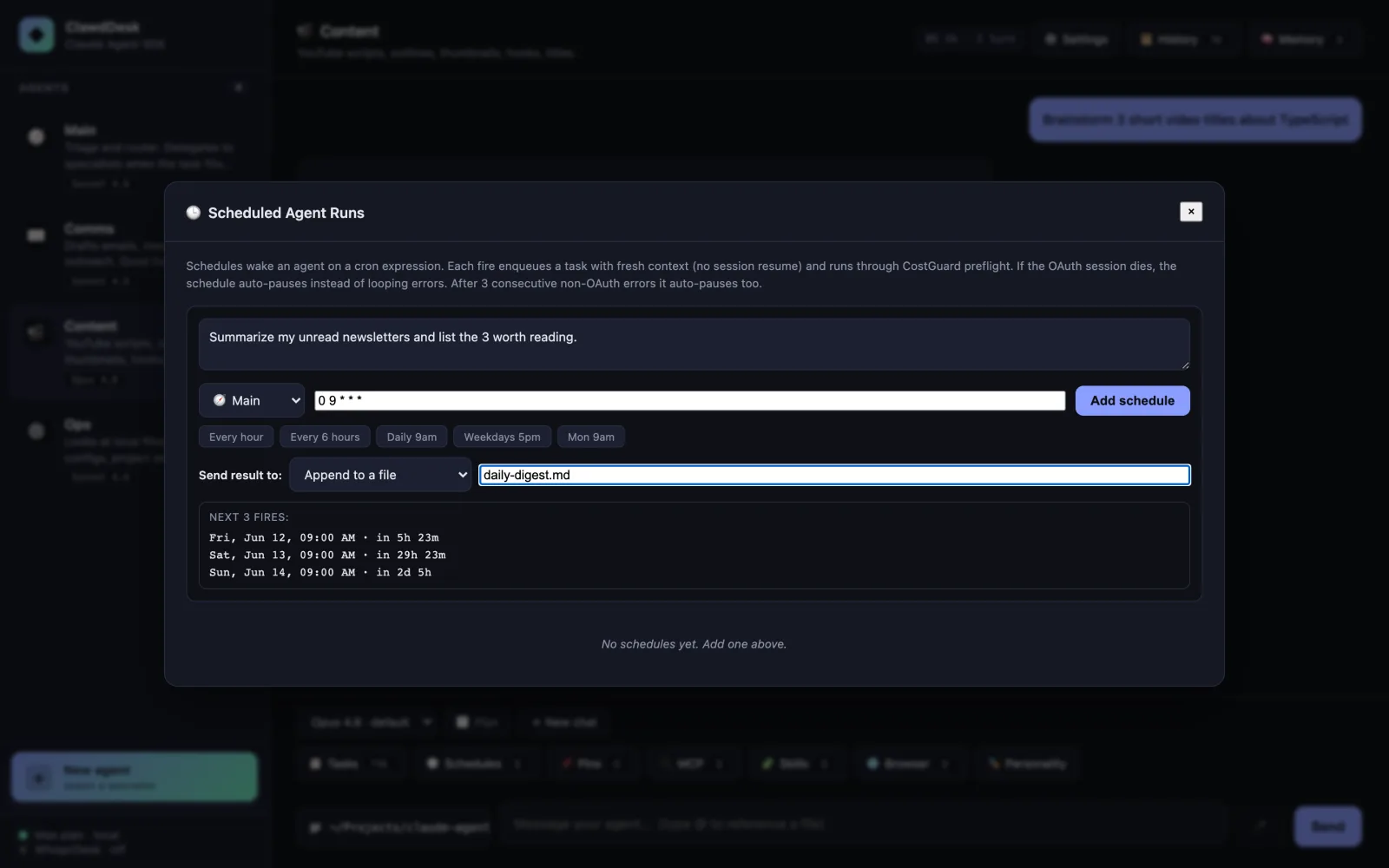
Scheduler destinations
Cron runs that report to the app, a file, or Telegram, with run history.
Actively built
Five features recently ported from its sibling.
Clawddesk shares a family with Clawless Computer, the commercial, multi-provider desktop app. They stay distinct: Clawless Computer is the polished product across many model providers; Clawddesk is the free, Claude-only, MIT-licensed reference. Ideas flow between them. These five landed recently.
Browser automation
A per-agent Playwright browser behind an allow-list and a private-IP gate.
Agent personality
The Soul Builder, per-agent voice over locked guardrails.
Skills Studio
Build, install, and scan Skills without leaving your machine.
Emergent skills
Distill a good turn into a reusable skill draft. No cloud upload.
Scheduler destinations
Cron runs that report to in-app, a file, or Telegram, with run history.
Built for builders
Clone it. Run it. Read it.
Node 20 or newer, your own Anthropic credentials, and a single command. It runs entirely on your machine. The documentation walks through every surface.
Terminal
$ git clone https://github.com/RBJGlobal/clawddesk
$ cd clawddesk && npm install
$ npm run serve
# open http://localhost:3333
Privacy posture
It runs on your machine. Your data never leaves it.
There is no hosted app, no account, and no telemetry in the tool. The site holds itself to a high standard too: one cookieless, privacy-first visit counter and nothing more, no cookies, no cross-site trackers, no fonts phoning home. It practices what the product preaches.